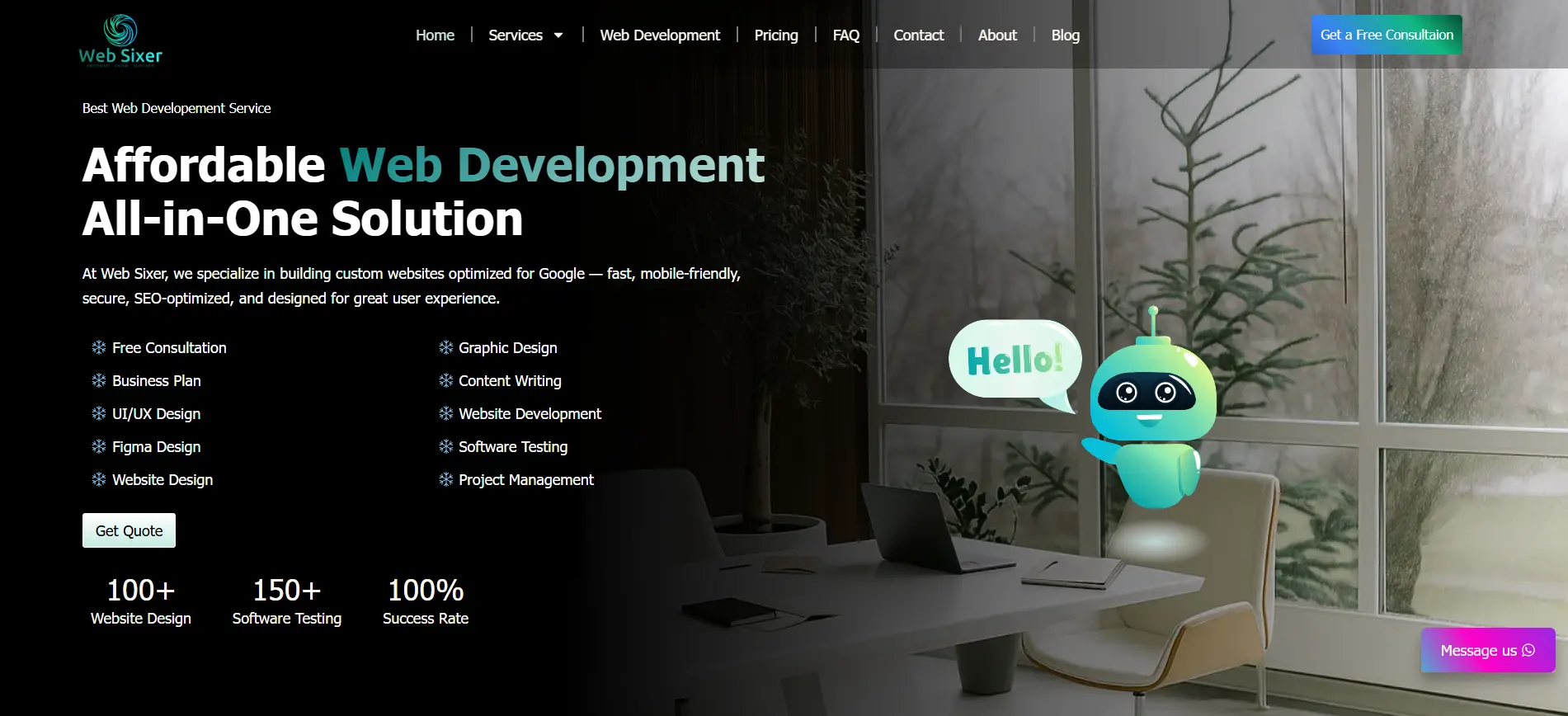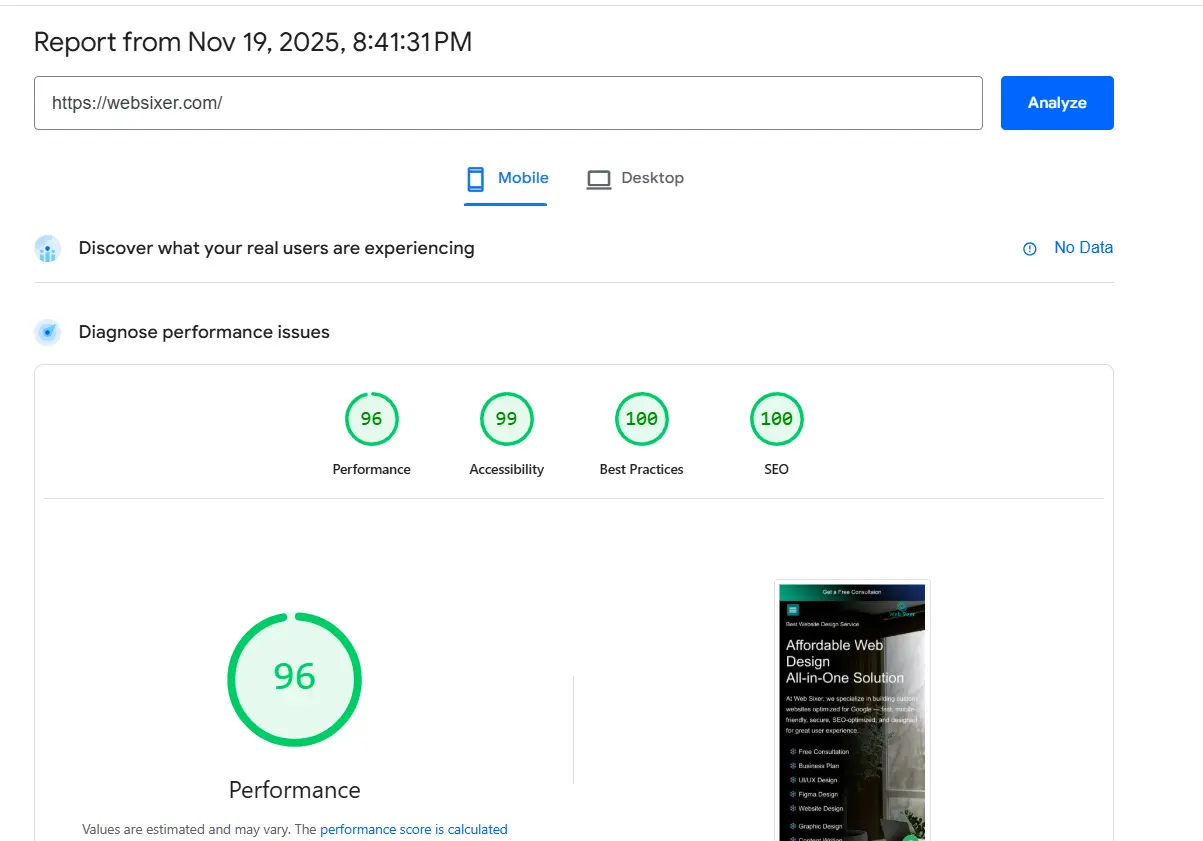
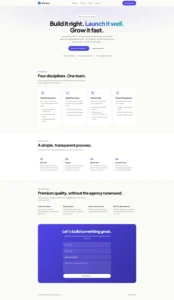
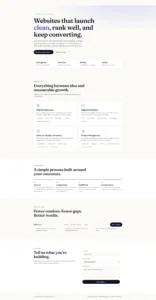
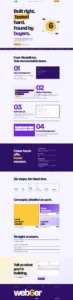
I built the same website four times using Plot. First without additional skills, then with a few skills, more skills, and finally a better prompt. The experiment taught me something important about AI website development: having powerful tools is useful, but knowing how to direct them is a skill of its own.
AI has changed how we approach website development. What once required hours of planning, design, coding, and revisions can now begin with a simple instruction.
You can ask an AI website builder to create a landing page, generate a complete website, write content, suggest a color palette, and produce code in a matter of minutes.
But there is a catch.
Getting AI to generate a website is easy. Getting it to generate the right website is a different challenge.
Many people now use AI tools every day. They ask questions, generate content, request designs, and even build applications. Yet a common mistake is treating AI like Google: typing a short search-like request, expecting the perfect answer, and moving on when the result looks convincing.
AI-assisted development requires a different mindset. You need to explain what you want, provide relevant context, set constraints, evaluate the output, and understand when the tool has got something wrong.
To explore this, I attempted to build a website four times using Plot, changing my approach with each attempt. I wanted to understand the relationship between skills, prompts, and the quality of the final result.
Here is what the process taught me.
1. Attempt One: Building a Website Without Additional Skills
For my first attempt, I used Plot without adding any additional skills.
I gave the AI my initial instructions and allowed it to generate the website based on the information available in the prompt.
This was my baseline: what could I achieve simply by describing the website I wanted?
AI can make a surprisingly good start. It can generate a page structure, create sections, suggest visual styles, and write the code needed to bring a design to life.
However, the first version is not necessarily the finished product.
A website can look impressive in a preview while still having problems with:
- Inconsistent colors, typography, or spacing.
- Mobile layouts that break at certain screen sizes.
- Poor contrast between text and backgrounds.
- Buttons or navigation links that do not behave correctly.
- Forms that appear functional but do not submit data anywhere.
- Missing SEO details or inaccessible interactive elements.
- Code that becomes difficult to maintain as the project grows.
These are not guaranteed problems with every AI-generated website. They are examples of what you need to check rather than assume the AI has handled correctly.
The first lesson was simple: AI can give you a starting point, but a generated website still needs a proper review.
2. Attempt Two: Adding a Few Skills
For my second attempt, I introduced a few additional skills.
The idea was to give the AI more specialized guidance instead of relying entirely on its default behavior.
Skills can help an AI follow established workflows, apply design principles, structure code, and handle particular parts of a development task. Depending on the tool and the skills available, they can provide reusable instructions that would otherwise need to be explained repeatedly.
This is useful because building a website involves more than writing HTML, CSS, and JavaScript.
You need to think about the user experience, responsive design, accessibility, content structure, functionality, and maintainability.
Relevant skills can help make those expectations part of the process.
However, skills are not magic switches. Adding a skill does not guarantee that every recommendation will be applied correctly, and the result still depends on the instructions, the tool, and the implementation.
If you ask the AI to build a website without clearly explaining the audience, business goals, desired pages, or design direction, it may still fill in those gaps with assumptions.
The lesson: skills can improve how AI approaches a task, but the AI still needs to know what the task actually is.
3. Attempt Three: Adding More Skills
For the third attempt, I expanded the number of skills I provided.
It is tempting to believe that more skills must lead to a better result. If a few skills help, surely adding more will make the AI even more capable?
Not necessarily.
The value of a skill depends on whether it is relevant to the task, compatible with the workflow, and applied appropriately.
Adding more instructions can also introduce competing priorities, unnecessary complexity, or guidance that has little relevance to the website you are building.
Imagine asking an AI to build a simple portfolio website. A skill focused on complex e-commerce architecture may add little value. Meanwhile, a relevant accessibility or responsive-design workflow could be much more useful.
The goal should not be to collect as many skills as possible.
Instead, identify the requirements of your project and choose skills that support them.
For example:
- UI/UX design: Establish a clear visual hierarchy and intuitive user journeys.
- Frontend development: Produce structured, maintainable interface code.
- Accessibility: Check keyboard access, semantic structure, and color contrast.
- SEO: Improve page titles, headings, metadata, and content organization.
- Quality assurance: Test links, forms, responsiveness, and interactive behavior.
These are areas to cover, not a guarantee that installing a skill automatically makes a website compliant or production-ready.
The lesson: relevant skills matter more than the number of skills.
4. Attempt Four: Improving the Prompt
For the fourth attempt, I focused on improving the prompt itself.
Instead of concentrating only on the number of skills, I worked on the instructions that communicated what I wanted the AI to build.
This is where prompt engineering becomes important.
A prompt is not simply a question. In website development, it can act as a design brief, a functional specification, and a quality checklist.
Consider the difference between these two requests.
A basic prompt:
“Build a modern website for my digital agency.”
The AI has to make several decisions on its own. What does modern mean? Who is the audience? What services does the agency provide? Which pages are needed? What should the website look like? What action should visitors take?
A more effective prompt:
“Build a responsive website for a digital agency offering web development, digital marketing, software quality assurance, and project management. The primary audience is small and medium-sized businesses looking for reliable digital services.
Use a bold, contemporary visual identity with a purple primary color (#6D28D9), a light lavender background (#F5F3FF), dark text (#111827), and an amber accent (#FBBF24). Maintain consistent spacing, readable typography, clear calls to action, and a strong visual hierarchy.
Include a homepage, services section, project portfolio, process section, FAQ, and contact form. Make navigation work on desktop and mobile. Ensure that interactive elements are keyboard accessible, text contrast is checked against WCAG requirements, forms have meaningful labels and validation, and motion respects reduced-motion preferences.
Use semantic HTML, maintainable CSS, and appropriate JavaScript. Test navigation, forms, responsive layouts, and common accessibility issues. Identify any features that require a backend rather than pretending they are fully functional.”
The second prompt gives the AI a much clearer target.
It explains the business, audience, design direction, structure, functionality, accessibility expectations, and testing requirements.
It does not guarantee a perfect result, but it reduces ambiguity and gives you a much stronger basis for evaluating the output.
The lesson: the more clearly you define success, the easier it becomes to guide AI toward it.
What My Four Attempts Reveal
The four attempts represent four different approaches to AI-assisted website development.
| Attempt | Approach | Key lesson |
|---|---|---|
| 1 | No additional skills | Establish a baseline |
| 2 | Add a few skills | Introduce specialized guidance |
| 3 | Add more skills | Prioritize relevance over quantity |
| 4 | Improve the prompt | Reduce ambiguity and define success |
This was a practical experiment, not a controlled scientific study. The results do not prove that prompts always matter more than skills. A fair comparison would need to control other variables and evaluate each version against the same criteria.
Nevertheless, the experiment illustrates an important distinction: capability and direction are two different things.
Skills can provide reusable knowledge and workflows. Prompts tell the AI how to apply its capabilities to your particular project.
Neither should be treated as a substitute for the other.
Why Most People Use AI Like Google
One of the biggest problems with AI adoption is that people often bring their old search habits into a completely different kind of tool.
When you use Google, you might type:
“Best website design for digital agency.”
You then examine the results, visit websites, compare ideas, and decide what is useful.
When you use an AI website builder, you might type:
“Make me a website for a digital agency.”
But that instruction asks the AI to do much more than retrieve information. It asks the AI to interpret your intent, make design decisions, select a structure, generate content, and potentially write executable code.
The AI must fill in all the details you have left unspecified.
That is why vague instructions can produce generic websites. The tool is not necessarily ignoring your vision; it may never have received enough information to understand it.
A better approach is to treat AI as a collaborator that needs a proper brief.
Instead of asking only for an outcome, explain the context behind it.
Instead of saying “make it beautiful,” describe the visual characteristics you want.
Instead of saying “make it accessible,” specify the checks you expect it to perform.
Instead of saying “make the form work,” explain what happens when someone submits it, where the data should go, and what validation is required.
The difference is not about writing the longest possible prompt. It is about communicating the most important information.
How to Write Better Prompts for AI Website Builders
You do not need to become a professional prompt engineer overnight. Start by following a repeatable structure.
Step 1: Define the goal
Explain what the website needs to achieve.
Is it supposed to generate leads, sell products, showcase a portfolio, publish articles, or help customers book appointments?
A website designed to generate enquiries requires a different structure from an online store.
Step 2: Describe the audience
Tell the AI who the website is for.
Describe the audience’s needs, expectations, and problems. A website for technical professionals may need a different tone and depth of information from one targeting first-time customers.
Step 3: Specify the design
Describe your desired visual direction.
Include the color palette, typography, layout, spacing, imagery, and overall mood. If you have a brand guide or reference website, provide it where the tool supports that.
Be specific about colors rather than relying on vague descriptions such as “use attractive colors.”
Step 4: Define the structure
List the pages and sections you need.
For example:
- Homepage with a clear headline and primary call to action.
- Services section explaining the value of each offering.
- Portfolio showcasing relevant work.
- About section establishing credibility.
- FAQ answering common objections.
- Contact form with appropriate validation.
Step 5: Explain the functionality
Describe what each interactive feature must actually do.
A button should have a clear destination or action. A form should validate input and connect to an appropriate submission endpoint. A mobile menu should open and close correctly and remain usable with a keyboard.
Do not accept a visual imitation of functionality as proof that the feature works.
Step 6: Add accessibility and quality requirements
Include expectations for semantic HTML, keyboard navigation, visible focus indicators, text alternatives for meaningful images, color contrast, form labels, error messages, and reduced-motion preferences.
For measurable targets, reference WCAG 2.2 AA and test the implementation. A prompt can request accessibility, but only evaluation can reveal whether the finished website meets the relevant criteria.
Step 7: Ask for verification
Tell the AI to inspect its own work, identify assumptions, and report what it could not verify.
For example:
“Review the generated website against the requirements above. Test navigation, form behavior, responsive layouts, keyboard interaction, and accessibility. Separate issues you actually tested from issues you only inspected, and clearly identify any functionality that still needs backend integration.”
This creates a more useful feedback loop than repeatedly asking the AI to “make it better.”
The Secret Is Iteration, Not Just the First Prompt
Even a detailed prompt will rarely anticipate every problem.
Professional development involves iteration: generating a first version, reviewing it, identifying defects, making targeted changes, and testing again.
The key is to make each iteration specific.
Instead of saying:
“Improve the website.”
Try:
“On screens below 768 pixels, the service cards overflow the viewport. Adjust the responsive grid so the cards stack vertically, preserve consistent spacing, and avoid horizontal scrolling. Check the layout at 375, 768, and 1024 pixels.”
Instead of saying:
“Fix the accessibility.”
Try:
“Inspect all text and interactive controls against WCAG 2.2 AA requirements. Identify contrast failures, missing labels, keyboard traps, and focus visibility issues. Fix the confirmed issues and report anything that still needs manual verification.”
Specific feedback makes it easier to understand what changed and why.
It also helps you distinguish between a real improvement and a visual change that simply looks different.
Why You Still Need to Understand Code in the AI Era
Here is the part that often gets overlooked.
AI can generate code quickly. It can explain functions, suggest CSS fixes, write JavaScript, and help you explore technologies that might otherwise take hours to research.
But AI-generated code can still contain mistakes.
A website may look correct while its form submits nowhere. A navigation menu may work with a mouse but fail with a keyboard. A responsive layout may break at an untested width. A generated script may introduce security vulnerabilities, and a seemingly small change may break an unrelated feature.
Official development guidance makes the same point: generated code can contain bugs, incorrect assumptions, and security issues, so it needs human review and testing. <Cite refs={[“turn554130search3″,”turn554130search4″,”turn554130search14”]}/>
This is why understanding code is becoming more valuable, not less.
You do not necessarily need to hand-write every line of HTML, CSS, or JavaScript. AI can handle much of the repetitive work.
But you should aim to understand enough to answer questions such as:
- Is the HTML structured correctly?
- Why is this CSS rule affecting another component?
- What happens when this JavaScript function receives invalid input?
- Is the form actually sending data to a backend?
- Could this implementation expose user data or create a security vulnerability?
- Does this change solve the original problem without introducing another one?
You can ask AI to explain these things, but you should not confuse an explanation with independent verification.
When a result fails repeatedly, the answer is not always to write a longer prompt or ask the same question in different words. Sometimes you need to inspect the code, reproduce the problem, understand the underlying cause, and make a targeted correction.
That is where technical expertise makes a difference.
AI is the accelerator. Expertise is the steering wheel.
In this new era of fast and furious technological change, the advantage does not necessarily belong to the person who generates the most code or uses the most tools.
It belongs to the person who can move quickly without losing sight of quality.
Someone who understands development can use AI to accelerate implementation, recognize suspicious output, ask more precise questions, and verify the result.
Someone who relies entirely on generated answers may struggle when the AI confidently produces something that looks right but behaves incorrectly.
You do not need to know everything before you start building with AI. You do, however, need to develop the technical judgment to recognize when the output is wrong and know how to investigate it.
That is the difference between simply generating a website and engineering one.
A Practical Checklist Before Publishing an AI-Built Website
Before launching your next AI-generated website, review these essentials.
- Design: Are the layout, typography, colors, and spacing consistent?
- Responsive behavior: Does the website work across mobile, tablet, and desktop sizes?
- Accessibility: Are keyboard navigation, focus indicators, labels, and contrast properly checked?
- Functionality: Do the links, buttons, menus, and forms actually work?
- Backend: Are submissions, authentication, payments, or other data-driven features genuinely connected where required?
- SEO: Are page titles, headings, metadata, content, and internal links appropriate?
- Performance: Have loading speed, image sizes, and unnecessary scripts been reviewed?
- Security: Have inputs, dependencies, secrets, and sensitive operations been examined?
- Testing: Have important user journeys been tested, including error states?
- Maintenance: Can you or your team understand, update, and troubleshoot the website after launch?
Automated tools can help with several of these checks, but they do not replace all forms of manual testing or professional review.
Google also recommends reviewing AI-generated website content for accuracy, quality, and relevance before publishing it. <Cite refs={[“turn554130search13″,”turn554130search9”]}/>
When Should You Build It Yourself, and When Should You Get Help?
AI website builders are excellent for exploring ideas, creating prototypes, building simple landing pages, and getting a first version online.
If you are learning, experiment. Try different prompts, test different workflows, and use relevant skills. The learning process is valuable in itself.
But if the website is important to your business, the decision should not be based solely on how quickly you can generate it.
Consider getting professional help when:
- You need a reliable website that supports business-critical customer journeys.
- Your website handles payments, sensitive information, or complex integrations.
- You need accessibility and quality requirements verified rather than merely requested.
- Repeated AI revisions are introducing new problems or failing to solve existing ones.
- You need a maintainable codebase, dependable deployment, or ongoing technical support.
- You want a website designed around conversions, search visibility, and measurable business goals.
Professional assistance does not mean abandoning AI. It means using AI where it adds value while bringing in the experience needed to plan, validate, and deliver the complete solution.
Want to Turn Your AI-Generated Website Into a Reliable Business Asset?
Building a website is only the first step. Making it accessible, functional, discoverable, secure, and effective at generating enquiries requires a broader approach.
At Web Sixer, we bring together web development, digital marketing, software quality assurance, and project management to help businesses move from an idea to a more complete digital solution.
Depending on your needs, we can help with:
- Website development: Build or improve your website with a focus on usability, responsive design, and maintainability.
- Digital marketing: Strengthen your content, search visibility, and customer acquisition strategy.
- Software QA: Test websites and web applications to identify defects before they affect customers.
- Project management: Bring scope, priorities, timelines, and communication into one coordinated process.
You do not have to purchase every service. You can start with the specific problem you need to solve and expand your approach as your business grows.
If you have already built a website using AI, we can help you assess what is working, identify what needs attention, and determine the next steps.
Ready to move beyond the AI-generated first draft?
Visit Web Sixer to explore our services and discuss your project.
Final Thoughts: Prompt Better. Build Smarter. Verify Everything.
My four website-building attempts reinforced an important lesson: improving AI output is not just about adding more skills.
Skills provide useful capabilities and reusable guidance. Prompts communicate the goal, constraints, and expectations. Technical knowledge helps you judge the output, and testing helps you determine whether the implementation actually works.
The most effective workflow combines all four.
Use AI to accelerate your work. Learn how to communicate with it precisely. Understand the fundamentals of the code it produces. And never assume that something is correct simply because it looks convincing.
The pace of AI development is fast and furious. Tools will change, workflows will evolve, and capabilities will continue to improve.
But the ability to define a problem, evaluate a solution, and take responsibility for the result will remain valuable.
The future is not simply about who can build a website with AI. It is about who can use AI to build the right website, for the right reasons, at the right level of quality.